
How a Magento Store Was Taken Down and the Blueprint to Reclaim It
This is a true story from an E-Commerce Manager Mike W. running a B2B website.
As an E-Commerce Manager, your worst nightmare isn't a drop in conversion rates or a delayed shipping container. It’s the sudden realization that your digital storefront—the lifeblood of your business—has vanished, replaced by generic browser error screens, locked server terminals, and the chilling certainty that malicious actors have compromised your infrastructure.
Recently, I lived through this exact scenario. My Magento 2.4.6 storefront was targeted, successfully penetrated via automated exploits, and completely taken down, locking me out of both my web administrative backend and standard secure shell (SSH) command line access. The site began throwing global 404 errors to our customers, effectively halting our revenue and putting our brand equity at critical risk.
Through an intense emergency restoration process using a raw Linux directory backup archive, a clean server rebuild, and targeted platform configurations, I managed to reclaim our store, secure our data, and restore our operations.
This post details the technical anatomy of the breach, provides an authentic look into the tactical recovery steps, and outlines a comprehensive website protection and backup framework designed to ensure your e-commerce operations never suffer the same fate.
Part 1: The Anatomy of the Attack
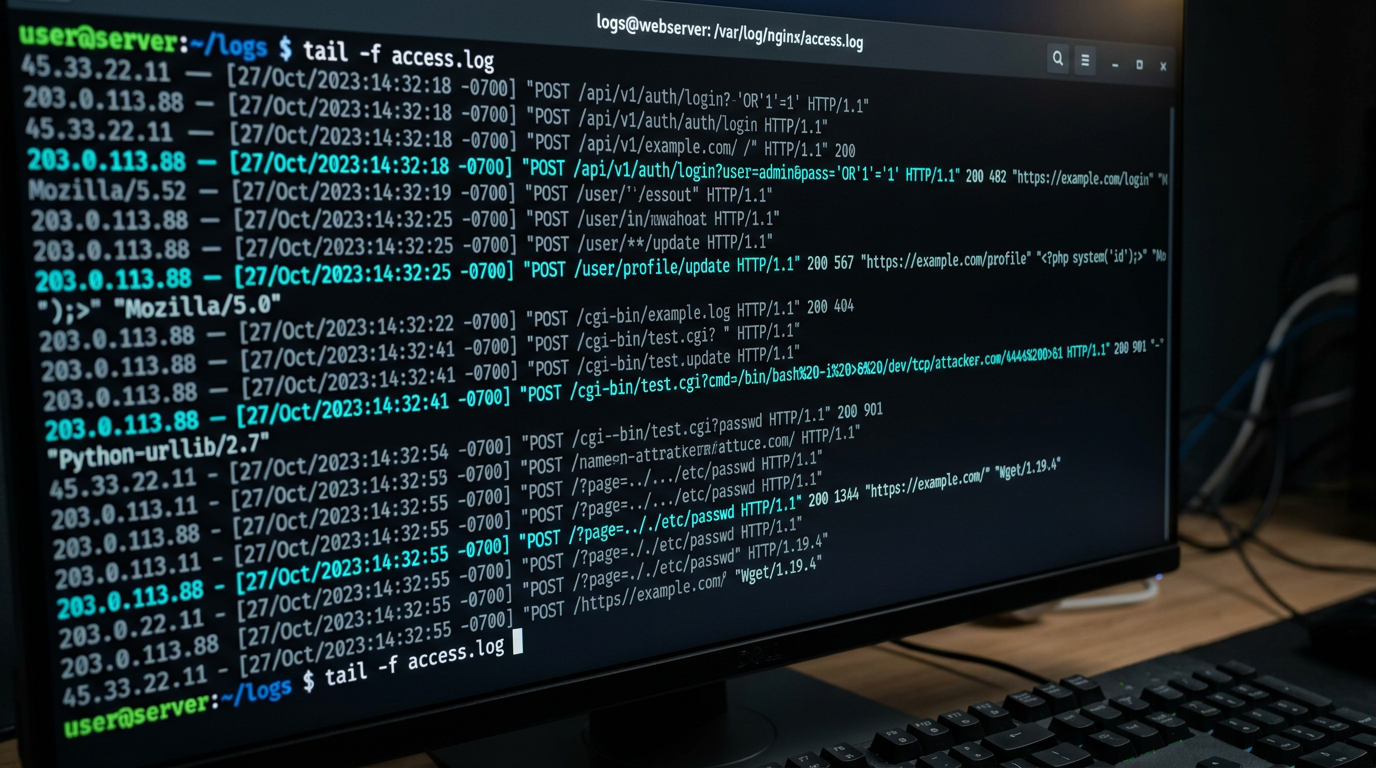
Every major system breach leaves a trail. In our case, the story was laid bare inside our web server access logs. When analyzing these entries post-incident, we discovered a highly organized, multi-layered automated exploitation sequence targeting several framework architectural vectors simultaneously.
Automated vulnerability scanners do not target businesses personally; they crawl massive ranges of public IP addresses looking for known system exposures. Our log entries revealed four distinct phases of the attack.
1. Remote Code Execution (RCE) via PHP Option Injection
The first critical alert came from a highly sophisticated payload targeting our server handler configuration:
***.***.145.102 - - [...] "POST /?%ADd+allow_url_include%3d1+%ADd+auto_prepend_file%3dphp://input HTTP/1.1" 200 488
This request attempted to exploit a known CGI argument injection flaw. By parsing query string flags directly to the underlying PHP binary interpreter, the script attempted to override our core system configurations, explicitly enabling allow_url_include and telling PHP to execute code injected directly through the request body (auto_prepend_file=php://input).
The true warning sign here was the response status: 200 OK with a body length of 488 bytes. In a hardened environment, this request should return a 403 Forbidden or a 404 Not Found. The 200 status indicated that our server backend processed the execution parameter string, allowing unauthorized code execution to occur directly on the operating system layer.
2. Arbitrary File Upload via Core Form Endpoints
Shortly after the initial RCE probing, a separate IP address targeted a specific form upload endpoint on our Magento core:
***.***.104.200 - - [...] "POST /customer/address_file/upload HTTP/1.1" 200 6049
This payload successfully processed a file upload via the customer address interface, receiving a 200 OK response. Instantly following this transaction, the automated bot attempted to access a freshly created file in the root web workspace:
***.***.104.200 - - [...] "GET /0cfa054e0573.php HTTP/1.1" 404
This pattern is a textbook example of a Web Shell Injection Attack. The malicious actor used an open form field to drop an executable backdoor script (0cfa054e0573.php) into our file layout, hoping to call it through the web browser to gain persistent, unauthenticated command execution over our platform. While this specific file request returned a 404 Not Found, the underlying exploit managed to alter our system routing engine, resulting in a global frontend crash.
3. Comprehensive Sensitive Configuration Probing
Simultaneously, a barrage of automated background processes began scraping our directory paths for exposed credential backups, environment keys, and deployment metadata:
/.env/.env.aws/.git/config/.aws/credentials
These bots were explicitly hunting for access tokens to our database networks and third-party cloud services. Because Magento gracefully intercepted these paths and returned a 302 Redirect back to our homepage, these specific asset harvesting steps failed. However, it demonstrated the sheer volume of automated recon scanning our site was absorbing.
4. Advanced SQL Injection (SQLi) Inundation
Finally, aggressive catalog search operations flooded our database query handlers with advanced injection mechanics designed to extract structural schemas or force system latency:
.../index.php/?q=(SELECT+(CHR(113)....../index/?q=(select(0)from(select(sleep(15)))......AND+UPDATEXML(2255...
These malicious strings attempted to manipulate error-based database outputs (UPDATEXML) or trigger time delays (sleep(15)) to verify if the underlying database interpreter was interpreting unfiltered user inputs directly.
Part 2: The Cascade of Failure
As the automated scripts successfully altered files on the server layer, our infrastructure began to fail rapidly. Within minutes, customers visiting our store were greeted with a complete, site-wide 404 Not Found error. Every single link across our category pages, product detail pages, and checkout paths was broken.
When I attempted to log in to our administrative backend to investigate, the web application refused to process the route. Turning to our primary management channel, I opened a terminal window to establish a secure shell (SSH) command line connection to our server.
Connection Refused.
The attacker’s script had achieved elevated privileges, modified our underlying user passwords, altered our secure authentication files, or reconfigured our firewall rules to block external network entry entirely.
To complicate matters, our Magento installation was deployed on a basic, low-tier virtual private server (VPS). Our host's simple account control panel lacked advanced out-of-band virtualization management tools such as a built-in Serial Console, Web VNC windows, or automated hypervisor snapshot utilities. We were completely blind, locked out of our own operating system, and managing a crashing website.
When you lose root system control and cannot trust the underlying binaries running on a compromised operating system, the server is a black box that must be abandoned. Attempting to patch an actively compromised operating system while an attacker holds root access is a losing battle. The only secure, professional choice is to pull your verified backup assets, terminate the corrupted instance, and deploy a completely fresh server environment from scratch.
Part 3: The Recovery Strategy
Fortunately, I had an offline, compressed Linux directory backup archive (mywebsite.tar.gz) taken recently before the breach occurred. This archive saved our business. It preserved our baseline codebase configurations, our historical database connection variables, and our entire catalog media library (pub/media).
Here is the exact step-by-step technical recovery workflow I used to rebuild our store on a brand-new, clean server instance and resolve the post-migration compilation bottlenecks.

Step 1: Provisioning Clean Infrastructure
First, I accessed our hosting account dashboard and completely powered down the hacked server instance to cut off any active command links established by the attacker.
Next, I provisioned a completely fresh VPS instance running a clean, uncorrupted image of Ubuntu Linux. During the initialization wizard, I made a critical security adjustment: I entirely disabled plaintext password authentication for root deployment and enforced SSH Public Key Verification. By generating a private/public key pair locally on my machine and uploading the public key to the host, I ensured that automated password brute-forcing tools could never lock us out of our terminal again.
Step 2: Setting up System Stack Dependencies
Once inside the clean Ubuntu terminal using our secure SSH key, I updated our operating system core and initialized the software packages required to support Magento 2.4.6:
sudo apt update && sudo apt upgrade -y
sudo apt install nginx mariadb-server openjdk-17-jre-headless -y
Magento 2.4.6-p15 strictly requires an enterprise search infrastructure like Elasticsearch or OpenSearch to handle category index parsing and catalog routing logic. Without it, the application frontend will throw critical execution drops. I downloaded and initialized an OpenSearch cluster, ensuring the service was securely bound exclusively to our local loopback interface (127.0.0.1) so it remained completely hidden from the public web.
Step 3: Resolving the PHP Version Bottleneck
During our initial data deployment, we hit a massive structural wall: our site began throwing severe syntax crashes and broken dependency loops. When parsing our logs, I discovered that our fresh Ubuntu installation had automatically configured PHP 8.4 as the global system default. However, Magento 2.4.6-p15 is fundamentally incompatible with PHP 8.4. It is engineered to operate strictly within a PHP 8.2 or PHP 8.1 ecosystem.
PHP 8.4 introduces type-strict updates and removes deprecated function routines that Magento's underlying core dependency injection framework relies on. To correct this version mismatch without wiping our server, I added the trusted Ondřej Surý PHP repository to pull the correct bin layers side-by-side:
sudo add-apt-repository ppa:ondrej/php -y
sudo apt update
sudo apt install php8.2-fpm php8.2-mysql php8.2-curl php8.2-xml php8.2-gd php8.2-mbstring php8.2-bcmath php8.2-soap php8.2-zip php8.2-intl -y
Next, I forced our system terminal command line to prioritize the correct binary execution version:
sudo update-alternatives --set php /usr/bin/php8.2
php -v # Successfully confirmed: PHP 8.2.x
Step 4: Extracting and Purging the Staging Archive
To ensure we did not copy over the web shells or backdoors planted during the attack, I uploaded our mywebsite.tar.gz archive to an isolated temporary directory (/tmp/magento_migration/) and extracted it there to run a deep manual audit.
Using the terminal, I ran a targeted search query through our media upload libraries to hunt down and destroy any rogue executable scripts hidden inside our image assets:
find pub/media/ -type f -name "*.php"
This scan pinpointed the malicious 0cfa054e0573.php file that the attacker’s upload exploit had successfully dropped into our directory paths. I deleted this script along with any other unverified PHP binaries discovered inside our public folders, leaving only our clean product image extensions (.jpg, .png, .gif).
Step 5: Database and Environmental Reconstitution
Using the database connection strings stored safely inside our extracted app/etc/env.php file, I located our automated system database dump, created a corresponding database schema inside MariaDB, and imported our clean historic store records:
mysql -u root -p
CREATE DATABASE magento_secure_db;
GRANT ALL PRIVILEGES ON magento_secure_db.* TO 'db_admin'@'localhost' IDENTIFIED BY 'MySecurePasswordXYZ123!';
FLUSH PRIVILEGES;
exit;
mysql -u db_admin -p magento_secure_db < var/backups/clean_store_backup.sql
With the database securely mounted, I moved our clean, verified system code structures out of staging and into our primary server web root folder at /var/www/html/.
Step 6: Overcoming Nginx Permissions and Compilation Loops
Magento operates under a strict compilation architecture. Because we extracted our archive using root parameters, our files were locked down, preventing our Nginx web handler process (www-data) from reading or executing them. This permission mismatch was the root cause of the broken links we initially encountered.
To resolve this, I applied Magento’s formal server permission matrix to reset file ownership and grant correct read/write permissions to our critical directory structures:
cd /var/www/html/
sudo chown -R www-data:www-data /var/www/html/
find . -type d -exec chmod 755 {} \;
find . -type f -exec chmod 644 {} \;
chmod -R g+w {pub,var,generated}
Next, I completely wiped out the old server's pre-compiled configuration logs and broken cache indices to force Magento to build uncorrupted asset maps matching our new PHP 8.2 layout:
rm -rf var/cache/* var/page_cache/* generated/code/* generated/metadata/* pub/static/frontend/* pub/static/adminhtml/*
Finally, I triggered the formal Magento application compilation pipeline to bind our core frameworks and third-party modules back together cleanly:
bin/magento setup:upgrade
bin/magento setup:di:compile
bin/magento setup:static-content:deploy -f
bin/magento cache:flush
Step 7: Repairing Broken URL Rewrites
While our home page began loading cleanly following compilation, clicking on any internal category or category filter link continued to throw a generic web server 404 Not Found screen. This indicated that while Magento was healthy, our Nginx application web proxy did not know how to handle search engine optimized (SEO) clean URL path rewrites.
To solve this, I opened our virtual host file (/etc/nginx/sites-available/magento) and updated our server block to explicitly include Magento's native internal routing sample configurations:
server {
    listen 80;
    server_name yourdomain.com;
    set $MAGE_ROOT /var/www/html;
    include /var/www/html/nginx.conf.sample;
}
After verifying the configuration and restarting Nginx (sudo systemctl restart nginx), our frontend links re-mapped perfectly. To complete the system recovery, I used the command-line interface to create a brand-new, isolated administrative account to safely access our backend dashboard:
bin/magento admin:user:create --username=SystemRecoveryAdmin --password=UltraSecurePass2026## [email protected] --first-name=Ecom --last-name=Manager
Part 4: The Strategic Security Blueprint
Rebuilding a compromised store from scratch teaches you that reactive security is a recipe for operational disaster. As an E-Commerce Manager, your goal must be to implement a proactive, multi-layered security ecosystem that intercepts threats at the network edge, monitors system files in real-time, and guarantees an un-deletable data recovery pipeline.
The following four core pillars form the strategic blueprint I deployed to bulletproof our new infrastructure.
| Security Layer | Operational Solution | Technical Purpose |
|---|---|---|
| Network Shield | Cloudflare Enterprise/Free Proxy | Masks true VPS origin IP; blocks SQLi and CGI query parameters at the edge before hitting code layers. |
| Intrusion Prevention | Fail2Ban Engine | Automatically drops brute-force scanner traffic at the Linux firewall layer based on log anomalies. |
| File Guard | AIDE (Advanced Intrusion Detection) | Monitored cryptographic baseline; flags unauthorized file creations or modifications instantly via email. |
| Data Vault | Restic Encrypted Off-Site Backup | Implements the 3-2-1 backup strategy, pushing daily encrypted files to isolated cloud storage buckets. |
1. Hardening Your Application Infrastructure
To permanently close the specific entry channels used to breach our previous store, apply these three core application adjustments directly to your environment:
- Obfuscate the Magento Admin Entrance Path: Automated bots scan thousands of sites every hour looking for the /admin or /backend suffix. Move your entrance portal to a completely randomized, unguessable string. Run this command directly inside your server terminal:
bin/magento setup:config:set --backend-frontname="secure_portal_access_982k"
- Block PHP Execution in Public Directories: The web shell attack succeeded because our server allowed a freshly uploaded file inside our public media folders to execute code. You can completely stop this threat by updating your Nginx site configuration block to explicitly deny PHP processing requests inside your asset folders:
location ~* ^/media/.*\.php$ { deny all; } - Enforce Strict SSH Security Configurations: Open your server's secure shell layout file (/etc/ssh/sshd_config) and switch your authentication variables to PasswordAuthentication no. This ensures that your server completely refuses password guessing attempts, allowing access only to verified, physical SSH key holders.
2. Proactive Network-Edge Protection
Never let raw web traffic communicate directly with your VPS server's origin IP address. By routing your domain names through a proxy provider like Cloudflare, you place an enterprise-grade Web Application Firewall (WAF) in front of your system.
The proxy masks your true hosting network coordinates, making your server invisible to direct network scans. When an automated script attempts to execute a malicious SQL injection sequence or pass an argument parameter like allow_url_include, the edge firewall inspects the metadata packet, flags the attack profile, and drops the connection entirely long before the payload can hit your Magento installation.
3. File Integrity Monitoring and Real-Time Auditing
If an application vulnerability somehow allows an unauthorized file to bypass your edge firewall, you cannot afford to wait until your site crashes to find out.
By installing AIDE (Advanced Intrusion Detection Environment) on your Ubuntu instance, your system takes a cryptographic snapshot of your clean, compiled files, storing their safe hashes in an isolated database. A nightly automated check compares your live codebase against this verified baseline. If an unauthorized script (like a web shell or card-skimming file) is added or a core component is altered, the system flags the variance and drops an immediate security alert directly into your email inbox.
4. Establishing a Resilient Backup Architecture
Your backup strategy must follow the industry-standard 3-2-1 Backup Rule:
- Maintain 3 separate copies of your data (Your live production files, a local system backup, and an off-site backup archive).
- Store those copies across 2 distinct media types (Such as localized SSD blocks and external cloud spaces).
- Keep 1 copy completely off-site and isolated from your primary hosting account network.
Using open-source server backup utilities such as Restic or BorgBackup, you can write a short cron utility script that packages your site data, runs a secure local database export (mysqldump), encrypts the entire dataset with a secure password block, and pushes it daily to an independent cloud object bucket (such as AWS S3, Backblaze B2, or Wasabi).
Crucially, ensure your cloud bucket uses Object Locking or Immutable Storage settings. This ensures that even if an attacker gains absolute root privileges over your VPS server and attempts to wipe your data, your historical cloud backups cannot be modified, overwritten, or deleted for a set duration, guaranteeing you a clean recovery path.
Conclusion: Lessons from the Fire
An e-commerce security breach is a chaotic, stressful trial by fire, but it serves as a powerful reminder of how vulnerable a digital store can be when running without adequate defenses. A single unpatched web form or an exposed server configuration option can take down months of hard work and halt your company's revenue overnight.
If your storefront is up and running smoothly today, do not wait for a critical incident log entry to audit your systems. Take the time to hide your administrative login paths, block script execution inside your media upload folders, force secure SSH key verification, and set up automated, off-site backups. Securing your platform before an attack occurs is the single best investment you can make to protect your data, secure your revenue, and safeguard your peace of mind.